
2013 年 9 月 23 日更新: 有一个新的服务器地址: 欧盟卡姆茨
在多人 KaM 游戏中与盟友沟通至关重要。唯一的问题是,常常没有时间输入信息,你真的需要向你的盟友大喊:“小心!调动你的士兵!”或类似的东西,但你做不到。好吧,现在这个问题有办法解决了!一位名叫 TieSTo 的好心粉丝允许我们使用 TeamSpeak 服务器上的一些频道。 TeamSpeak 是一个程序,可让您进入频道并立即与该房间中的每个人交谈,方法是按按键激活麦克风或让麦克风在检测到声音时自动激活。这就像聊天室中的 Skype。
我已经在一些 KaM 游戏中使用了 TeamSpeak,我发现它非常有用。与盟友合作并向他们发出危险警报更加容易,无需打字。您还可以在建设村庄的同时聊天并结交朋友。即使您没有麦克风或不想说话,聆听盟友的声音仍然非常有用。以下是在该服务器上安装和使用 TeamSpeak 的说明。
步骤1。 下载 TeamSpeak 3 客户端
步骤2。 运行安装程序并按照说明进行操作
步骤 3. 启动 TeamSpeak 并按照设置向导进行操作,该向导将帮助您首次配置它。输入您自己的昵称。
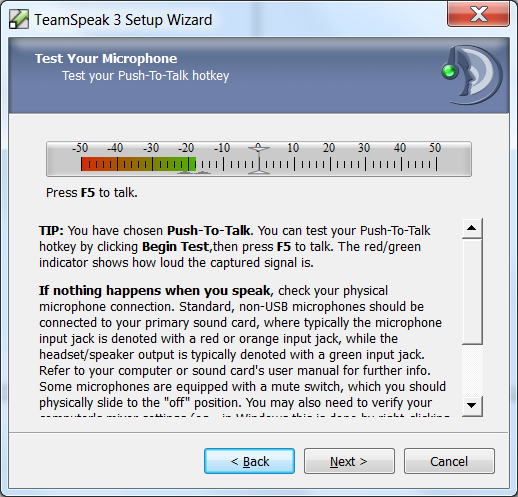 步骤 4。 选择之间 语音激活检测 (当检测到您说话时发送)或 一键通 仅当您按住选定的键时才会传输(您可以稍后从“设置”中更改这些内容)。在下一个屏幕上,您可以测试麦克风音量。
步骤5。在向导结束时取消选中 “打开公共服务器列表” 和 “租用您自己的 TeamSpeak 服务器” 在完成之前(您将使用 KaM TeamSpeak 服务器,因此这些选项都不是必需的)。
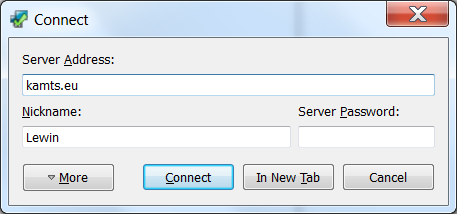 步骤 6。 接下来添加 KaM TeamSpeak 服务器,单击 连接 然后在主菜单上 连接。在 服务器地址 放: 欧盟卡姆茨 然后点击连接(没有密码)。
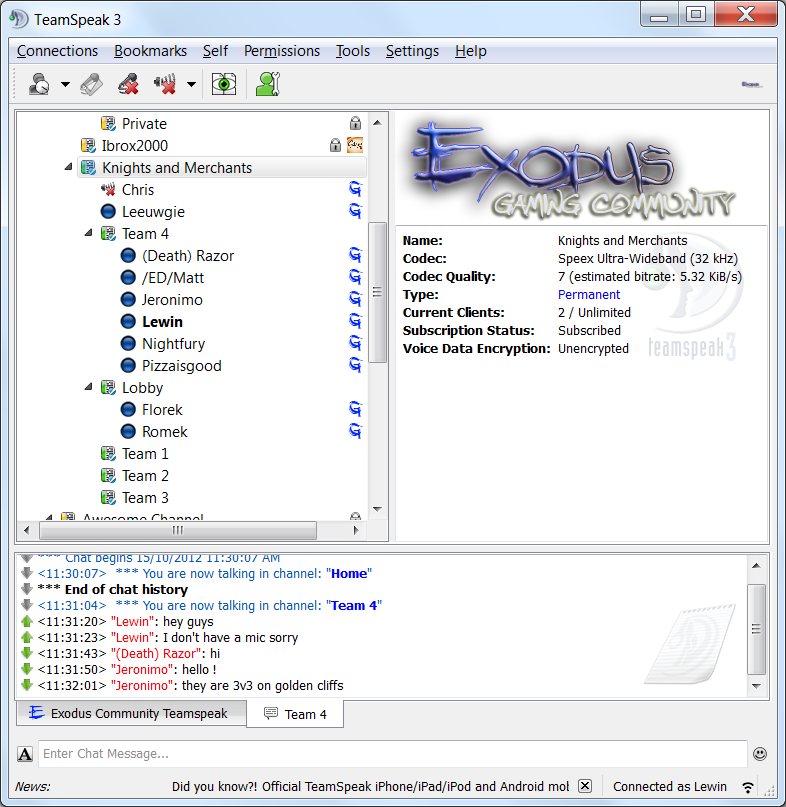 步骤7. Scroll down to the channel “Knights and Merchants” and double click on one of the channels there to join it. Note: This server is not only used for Knights and Merchants, so please only use the channels under “Knights and Merchants”.
Step 8. You can now talk to everyone in that channel! Ask your friend and allies to join you so you can communicate easily while you play. You can use whatever languages you like in the server, we don’t mind at all. There are currently 5 channels available so if one is already in use pick and empty one. We will create more channels if it is needed.
If you have any questions or need help please just ask below and we’ll be more than happy to assist you 🙂
勒温。


4 回应“团队语音服务器”